
Set different notification dates for different scheduled tasks
You can configure different amounts of days for a notification for different scheduled events.
- Go to the following path: Setup > Event Setup > Notification Setup > Events Setup.
- Expand Notification Setup, then select the Event Category for your event:

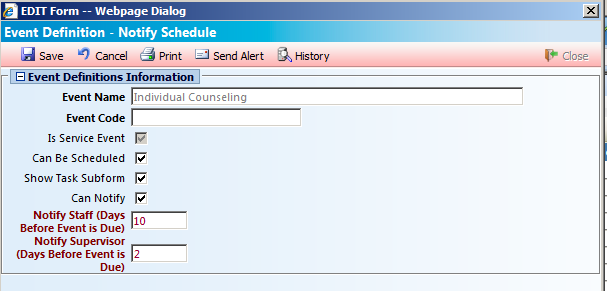
- Edit your event and indicate the number of days before the event you wish to notify staff and supervisor:
- Save any changes.